Test Sheet: Pico Board
Yocto Version
This test sheet targets the walnascar release of the NXP BSP. If you are working on a different Yocto version, refer to the corresponding test sheet on the meta-engicam-nxp branch for your release.
Test sheet SmarCore MX95 Pico Board
Test sheet
Version: 1.0
Preliminary
Creation of engicam-evaluation-image-mx95 image for booting eMMC programming.
Board Type: Smarcore Evaluation Board
SOM Type: SmarCore MX95
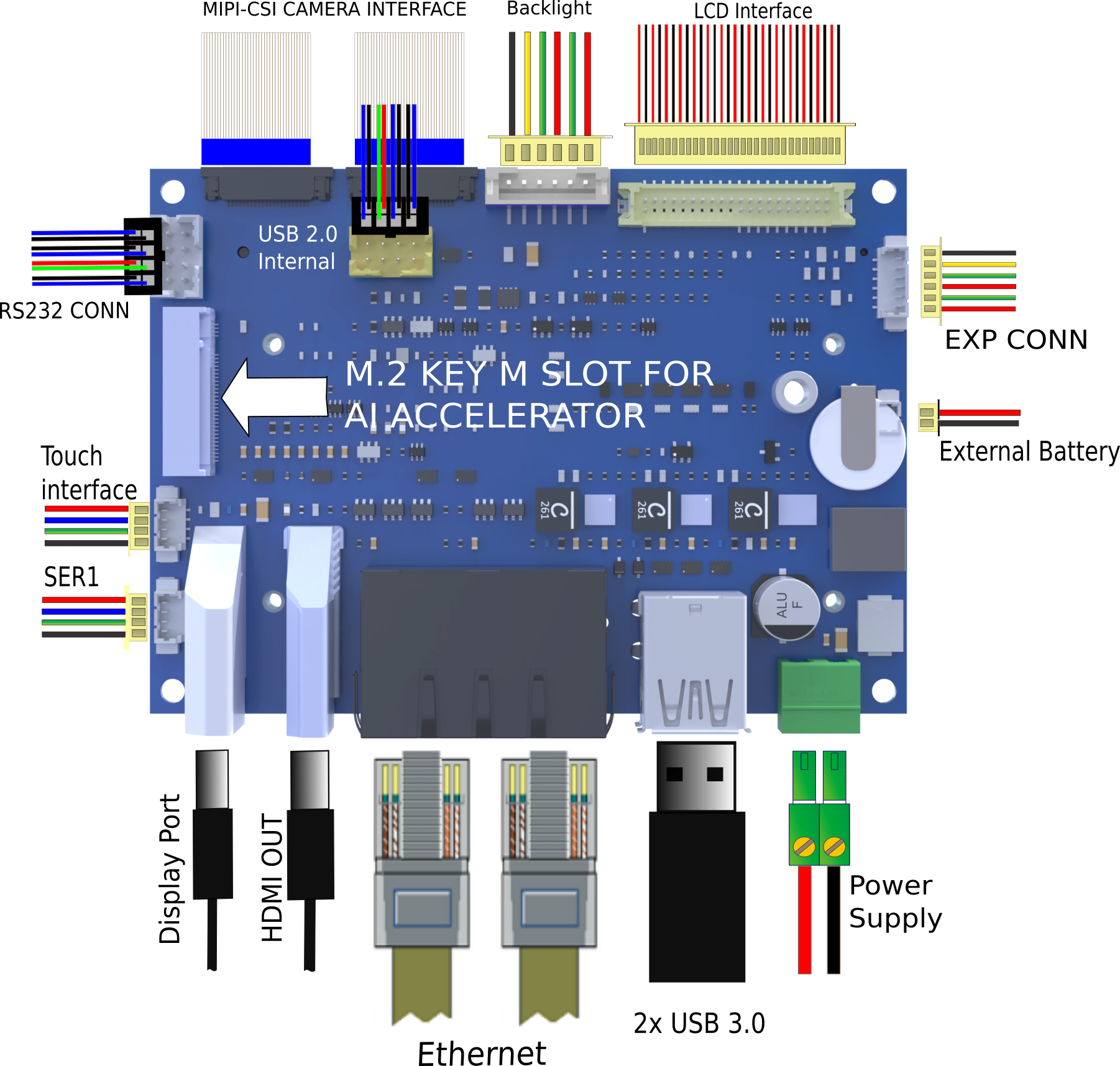
U-boot tests
| Test | Status |
|---|---|
| eMMC Enviroment saving | OK |
| Ethernet | OK |
| Boot from eMMC | OK |
| USB | OK |
| Serial Download | OK |
Test Notes:
eMMC Environment saving
Ethernet
Once the serverip has been saved connect the board at J17-A:
The output should be:
Do the same test on port J17-B. The output should be:
Boot from eMMC
All switches positioned on OFF:
The output should be:
USB
Plug USB storage devices in J18 UP connectors:
The output should be:
starting USB...
Bus usb@4c100000: Register 2000140 NbrPorts 2
Starting the controller
USB XHCI 1.10
Bus usb@4c200000: USB EHCI 1.00
scanning bus usb@4c100000 for devices... 1 USB Device(s) found
scanning bus usb@4c200000 for devices... 3 USB Device(s) found
       scanning usb for storage devices... 1 Storage Device(s) found
The output should be (for example):
 usb tree
USB device tree:
  1  Hub (5 Gb/s, 0mA)
     U-Boot XHCI Host Controller

  1  Hub (480 Mb/s, 0mA)
  |  u-boot EHCI Host Controller
  |
  +-2  Hub (480 Mb/s, 2mA)
    |
    +-3  Mass Storage (480 Mb/s, 100mA)
         2199 Intenso Rainbow Line 3727090AF7721E8512744
Once done do:
to safely remove storage devices.
Serial Download
Close switch 4 to enable serial download. Connect the board with the source machine (i.e. the machine you are downloading the images from) by using the board's OTG header (N/A).
Power on the board.
From source machine check if an USB device for serial download is detected:
Output:
uuu (Universal Update Utility) for nxp imx chips -- lib1.5.141

Connected Known USB Devices
        Path     Chip    Pro     Vid     Pid     BcdVersion      Serial_no
        ====================================================================
        3:344    MX95    SDPS:   0x1FC9 0x015D   0x0002  1E0751C8AA2342A8
Here we see a device is detected. Then type:
And wait for the download and flash of eMMC to finish.
Kernel Linux tests
| Status | Test | Note |
|---|---|---|
| OK | Ethernet 0 (J17-A) | see note1 |
| OK | Ethernet 1 (J17-B) | see note1 |
| OK | USB 2.0 (J8) | tested with USB stick |
| OK | USB 3.0 (J18) | tested with USB stick |
| OK | eMMC card | boot system from eMMC |
| OK | UART 232 ttyLP4 (J7) | see note2 |
| OK | Linux Console (J14) | |
| OK | WIFI | see note3 |
| OK | BLUETOOTH | see note4 |
| OK | RTC | see note5 |
| OK | Reboot | |
| OK | LVDS | |
| OK | Backlight | see note6 |
| OK | Touchscreen | see note7 |
| OK | HDMI | |
| OK | M.2 Key M PCIe (J10) | see note8 |
Note
Note 1
Connect board's ethernet with your machine's one.
On your machine launch iperf3 server by typing:
On board launch iperf3 in client mode:
Using the IP address of your server machine.
Output:
Connecting to host 192.168.10.1, port 5201
[  5] local 192.168.10.85 port 47390 connected to 192.168.10.1 port 5201
[ ID] Interval           Transfer     Bitrate         Retr  Cwnd
[  5]   0.00-1.00   sec  12.2 MBytes   103 Mbits/sec    0    188 KBytes
[  5]   1.00-2.00   sec  11.1 MBytes  93.3 Mbits/sec    0    188 KBytes
[  5]   2.00-3.00   sec  11.0 MBytes  92.3 Mbits/sec    0    188 KBytes
[  5]   3.00-4.00   sec  11.5 MBytes  96.5 Mbits/sec    0    188 KBytes
[  5]   4.00-5.00   sec  10.9 MBytes  91.2 Mbits/sec    0    188 KBytes
[  5]   5.00-6.00   sec  11.2 MBytes  94.4 Mbits/sec    0    188 KBytes
[  5]   6.00-7.00   sec  11.4 MBytes  95.4 Mbits/sec    0    188 KBytes
[  5]   7.00-8.00   sec  10.9 MBytes  91.2 Mbits/sec    0    188 KBytes
[  5]   8.00-9.00   sec  11.2 MBytes  94.4 Mbits/sec    0    188 KBytes
[  5]   9.00-10.01  sec  11.2 MBytes  93.1 Mbits/sec    0    188 KBytes
- - - - - - - - - - - - - - - - - - - - - - - - -
[ ID] Interval           Transfer     Bitrate         Retr
[  5]   0.00-10.01  sec   113 MBytes  94.7 Mbits/sec    0            sender
[  5]   0.00-10.03  sec   112 MBytes  94.1 Mbits/sec                  receiver

iperf Done.
Note 2
Connect TX/RX PIN connector J14 to the UART 232 port From terminal launch command:
Verify that the characters written from keyboard are echoed in terminal.
Note 3
ifconfig wlan0 up
iw dev wlan0 scan | grep SSID
wpa_passphrase SSID PASSWORD > /etc/wpa_supplicant.conf
sdcsupp -iwlan0 -Dnl80211 -c/etc/wpa_supplicant.conf -B
udhcpc -iwlan0
Note 4
echo "1" > /sys/kernel/debug/ieee80211/phy0/cc33xx/ble_enable
hciconfig -a
hciconfig hci0 up
hciconfig -a
hciconfig hci0 up
[bluetooth]# scan on
Note 5
Set a time and date to the clock:
Turn off the system and power it back on. Once it booted check that the date is the same:
Note 6
Tested with command:
where n is an integer from 0 to 100
Note 7
Tested with command: